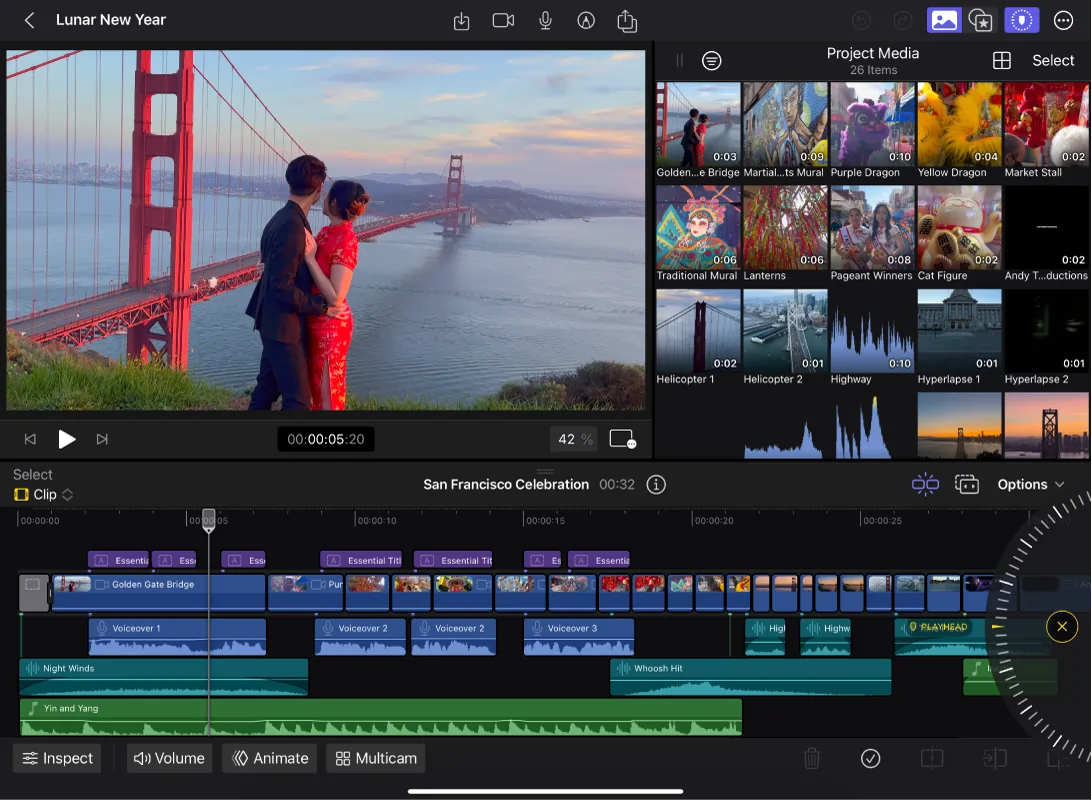
Top 5 Essential Video Editing Techniques for Beginners
Video editing can be daunting for beginners, but mastering a few essential techniques can significantly enhance your content. Here are the top 5 essential video editing techniques for beginners that you should consider:
- Trimming and Cutting: Understanding how to trim and cut your clips is fundamental. This allows you to remove unnecessary footage and keep your video engaging. For a detailed guide, check out PremiumBeat's video editing tips.
- Transitions: Smooth transitions between scenes can elevate your video. Learning to use simple transitions can create a cohesive flow. Explore various types of transitions and their usage in resources like Adobe's guide on video transitions.
In addition to the basics, consider these additional techniques to further refine your editing skills:
- Color Correction: Adjusting the color balance of your clips can drastically improve their visual appeal. Beginners can start with basic color correction tools found in most editing software. For tips on color correction, visit Lifewire.
- Audio Editing: Excellent audio quality can enhance your video's overall impact. Familiarize yourself with audio editing techniques, such as noise reduction and volume leveling. Check out Podcast Insights for audio editing tips.
- Adding Text and Graphics: Overlaying text or graphics can help convey your message more effectively. Make sure to use readable fonts and avoid cluttering the screen. For more ideas on text and graphics, refer to Canva's tips on graphics for video.
How to Choose the Best Video Editing Software for Your Needs
Choosing the best video editing software for your needs involves several key considerations. First, assess your skill level: are you a beginner, intermediate, or professional editor? For starters, user-friendly options like Adobe Premiere Elements can provide essential tools without overwhelming features. As you progress, you might consider software like DaVinci Resolve, which offers advanced capabilities for color grading and professional editing. Additionally, think about whether you need features like multi-cam editing, special effects, or audio enhancement; these can dramatically enhance your projects and satisfaction with the software.
Next, consider your budget and the specific features that matter most to you. There are many options available ranging from free programs like Shotcut to subscription-based services like Adobe Creative Cloud. Before making a decision, it’s wise to explore user reviews and comparison articles on platforms like PCMag to find insights on the pros and cons of each software. Overall, by determining your editing needs, budget, and desired features, you can confidently select the best video editing software that aligns with your creative vision.
The Ultimate Guide to Crafting a Compelling Video Story
Crafting a compelling video story is essential for engaging your audience and conveying your message effectively. To start, you need to establish a clear narrative structure. This typically includes an exposition, rising action, climax, falling action, and resolution. Consider employing the 3-act structure which can be broken down as follows:
- Act 1: Setup - Introduce your characters and setting.
- Act 2: Confrontation - Build tension as challenges arise.
- Act 3: Resolution - Provide closure and insights.
For more about this structure, check out this guide.
In addition to a strong narrative, visual elements play a crucial role in storytelling. Utilize cinematography, color grading, and sound design to enhance the emotional impact of your story. Remember to keep your target audience in mind; a well-crafted story will resonate more deeply when tailored to their preferences. You might also want to learn about the importance of audience engagement in video storytelling by visiting this article.